Categories
Development Log

Cover Designs

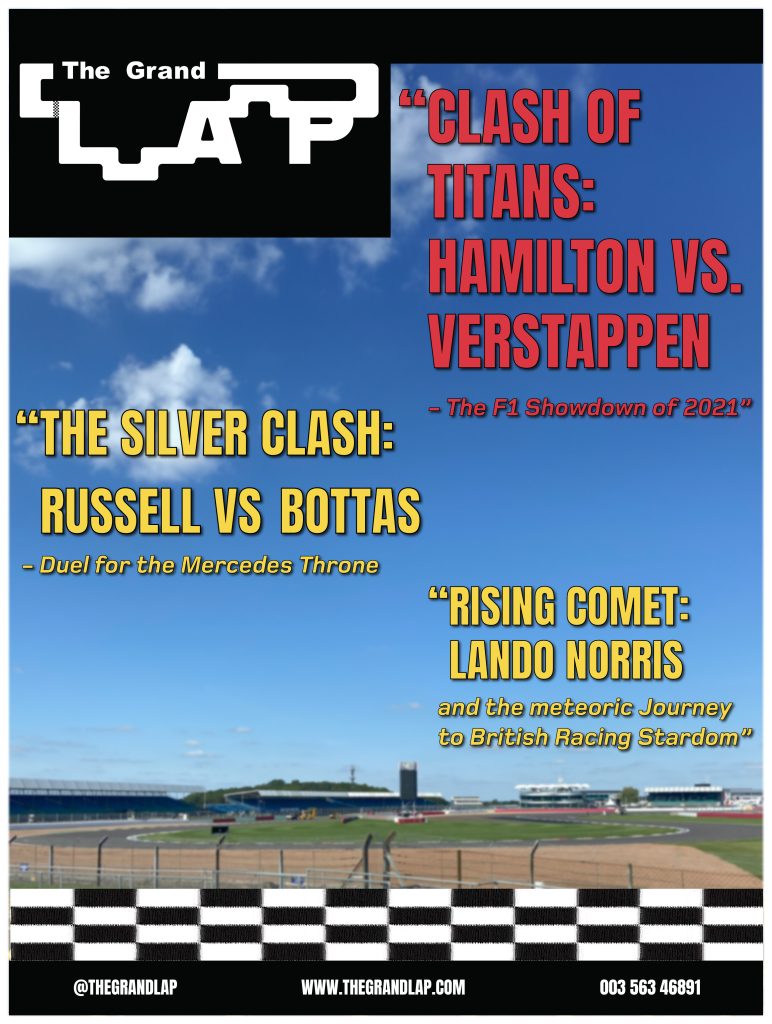
For my three cover designs, I wanted to use photos that I had taken. Luckily, I went to a Formula 1 museum at Silverstone and got photos of F1 cars and the Silverstone track that hosts the British Grand Prix. So, for my first cover design, the picture of the Silverstone circuit was used. I blurred the image slightly to help make the headlines and the text stand out more. Anton Regular was used as the main font body because of its slim and tall characters it gives the headlines a dramatic and bold look. I used a vibrant red colour for the main headline and then a vibrant yellow for the sub-headlines to help the viewer understand which is the main headline. The main headline is slightly bigger than the other to so people will read that one first. Foundry-monoline extended font was used for the subtext of the headings. I used this font because it is the same font, I have used for my pages, but the bold italics give a nice contrast to the other font used as they appear a lot calmer, which is perfect for the people that want to read the full headline. I added the racing strip across the bottom of the cover to show readers it is about motorsport. I then added black strips at the top and bottom of the cover with some contact details.
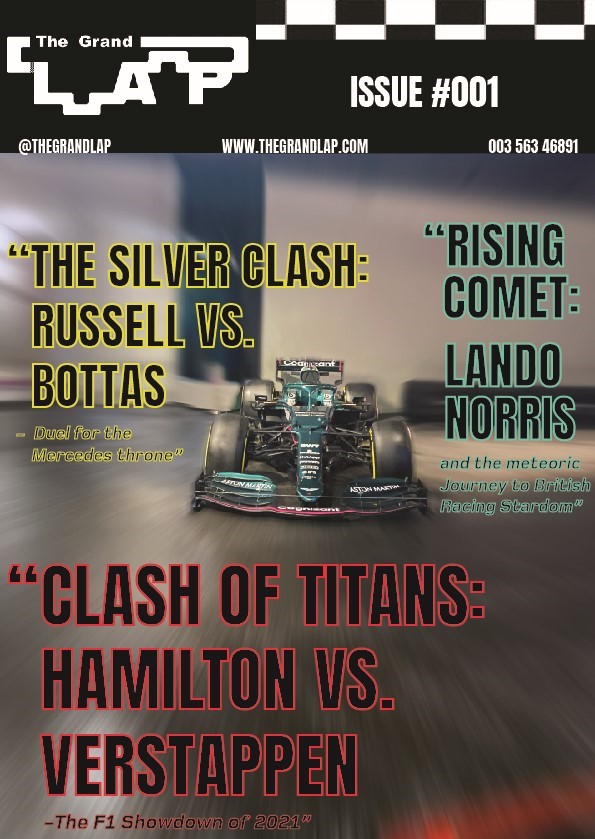
My second cover design focuses on an F1 car that I took a picture of. The first process was getting rid of things in the background to have a nice clean canvas to work with. This involved a lot of content-aware fill and erasing. I then added a radial blur around the F1 car to look like it was going at immense speeds. I kept the same fonts and added a new colour to create a cover full of colour. My initial thought with the colours was to go for a neon-type vibe, that’s why I used black as the main body of colour and then used vibrant colours for the outline. I moved all the information to the top of the cover so people can look straight at the top and find everything they need including the issue number. I kept the flag strip but made it more subtle, so people still know it’s a motorsport magazine.
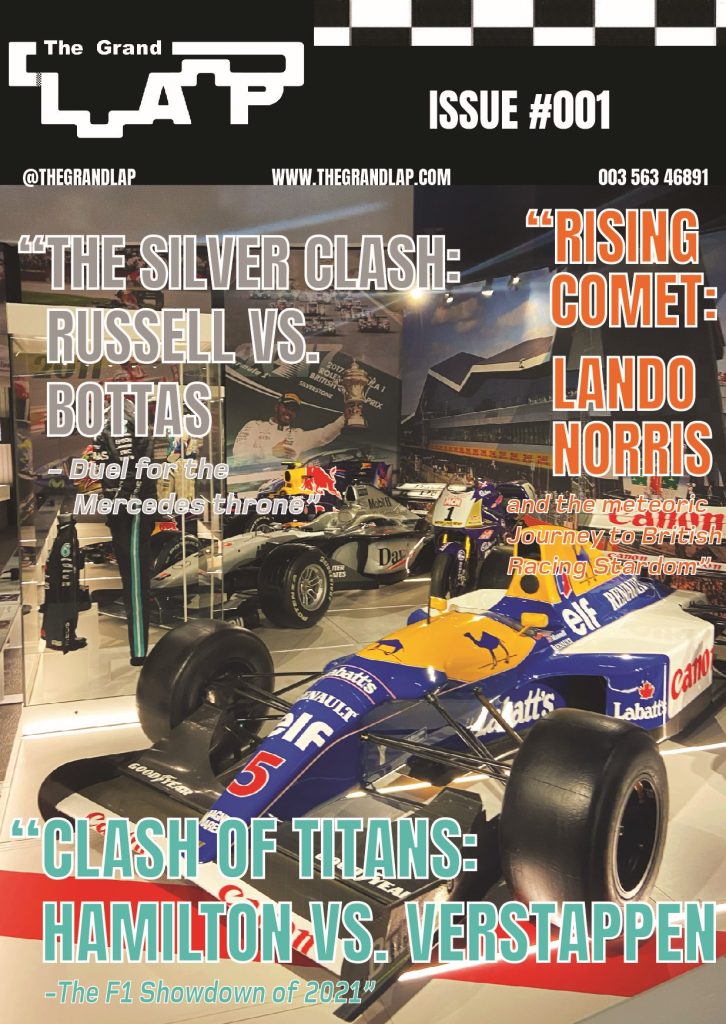
The Third cover is an image of F1 cars in the museum, with an older-era car at the front. This is why I thought I’d change the colours to a retro look. I kept the same fonts again, but this time used pastel-like colours that still looked vibrant and used a white outline to give it that vintage look. For the composition, I had the main headline take the bottom of the cover so I could make the text big for people to see. I put the ‘silver clash’ headline in silver to match, but it looks neutral and retro looking which wasn’t intended. The ‘rising comet’ headline was written down the side so you could see the background of the image, but the vibrant orange still meant it wouldn’t go unnoticed.
Categories
Development Log

Editorial Information Pages 

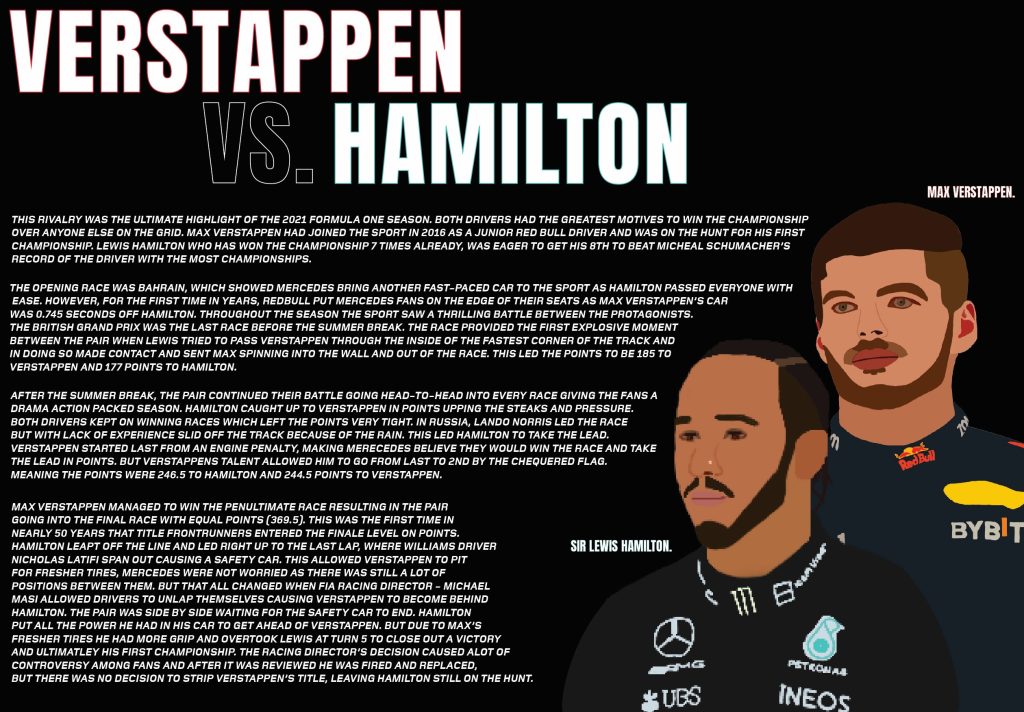
I have made 3 double traditional type editorial information pages. My first double page was all about the massive rivalry between Lewis Hamilton and Max Verstappen. I used Procreate on my iPad to create the portraits of Lewis and Max. Unfortunately for some reason there was an issue when I exported Hamilton as he has a lower resolution to Max. I used Anton regular for the title heading as its tall and slim body makes the text look bold and dramatic. I put a colour accent on their names, to the colour of the teams they drive for, because it adds colour to the pages and people know who’s who. In terms of composition, the writing has been spread across both pages and is warped around the 2 portraits of the drivers. This will get people looking at the portraits whilst they are reading it as they are close together. I used the Foundry Monoline extended font for the writing because the italics give the writing a sense of motion which links to the sport as that is full of motion and action.

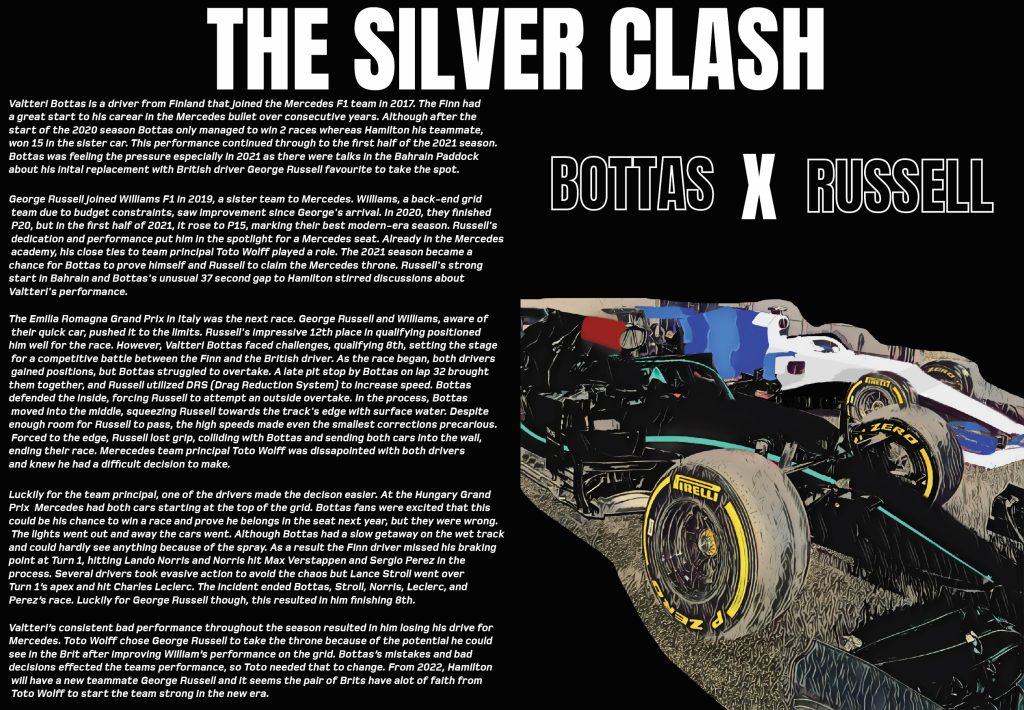
My next double page was on the rivalry between Valtteri Bottas and George Russell, on who would get the Mercedes seat. I used a picture I took of two F1 cars but edited it to look like Bottas and Russell’s cars. I did this by using the brush tool in photoshop. I wanted to make the photo look more like a drawing and more cartoony to match the portraits, so on of the neural filters was used on Photoshop to give it that unique look. I kept the text on one side because I wanted the picture to be big enough to stand out and for people to look at. I have also used the same fonts as my first pages to keep it consistent and make everything look in form. There was some dead space above the picture so to fill space I added a ‘Bottas x Russell’ to catch people’s attention and to also help identify which car is who’s. I used a white outline only, so the text doesn’t take away the attention of the main title.  

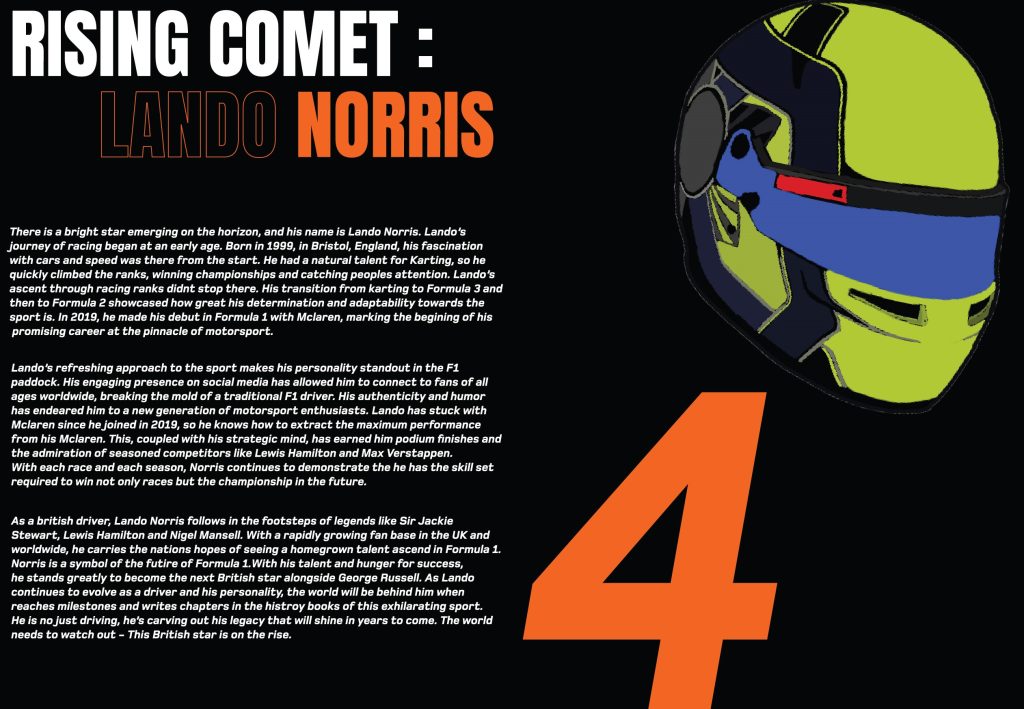
My last double page was all about the up-and-coming star Lando Norris.  As this was solo driver focused, I used his team colours of McLaren. I wanted the title to pop out to people, so I made ‘Rising comet’ in plain white then used the orange to draw people in. I only outlined ‘Lando’ because when people see the colour orange and Norris together, they will know that it is Lando. On the 2nd page I presented his racing number #4 in the Foundry Monoline font because it shows this double page is all about Lando and F1 fans who know his number will be drawn in by it. I then paired that with his 2021 racing helmet that I created in Procreate. This helps readers identify who he is if they were to look him up from reading my magazine and entices people to read the information.

Categories
Development Log

Traditional or Online Conceptual Editorial Masthead (Logo) Design

It was a conscious decision that I wanted ‘The Grand’ to be subtle and not stand out too much compared to the rest of the Logo. This is why ‘Arial Black’ was used for the font. The lettering was manually spaced out to give the font more of a distinct character enhancing its compatibility with the adjacent ‘Lap’.  I used the word, Grand, because I wanted to reference ‘Grand Prix’ which is used in Formula 1 and other racing events. When I drew the word Lap in my sketchbook, it was done in a way that I could visualise a circuit forming around the letters. This idea stuck with me when moving into Illustrator. ‘Alfarn’ was the font used for ‘Lap’ because of the characters with its curves and long stems that look like racetrack segments, particularly evident in the letter ‘P’. The shape tool was then used to join the gaps with the letters to form a complete circuit. At first, I used a different design for both segments that join the letters. But realised that the Logo looks in uniform when they both have the same track segment.  When everything was joined together, the shape-builder tool was used to create one big shape. This allowed me to further customise and fine-tune the overall look of the logo. The Round corners tool played a crucial role and was used to help round off more of the lettering and segments to make it look like more of a racetrack with corners and turns. A lot of colour schemes were tested but it was soon evident that black with a white background and white with a black background looked the best. This was because the colours reference the chequered flag used in Formula 1. After that, I ran into a problem that the letter ‘L’ was not as noticeable as the other letters due to the segment that joined it made it look like more of a shape than a letter. After going back to the sketchbook, I figured it would be good to add something to separate the letter and the shape, to make it more noticeable. This is when I created a chequered flag strip. The strip not only separates the letters efficiently but also links to the design because it looks like a finish line that we see in Motorsports. I added some noise and distortion to the chequered flag strip, so it looked unique, to give the logo some extra character. I made two versions of the logo, one an inverted version of the original to make sure when I went to do my page and cover designs, I could use the white or black logo accordingly to make sure the logo stood out. Each element, from font selection to colour schemes and the incorporation of the chequered flag strip, was carefully considered to create a logo that not only represents speed and precision but also pays homage to Formula 1.

Categories
Development Log

Typographical Graphic Standards

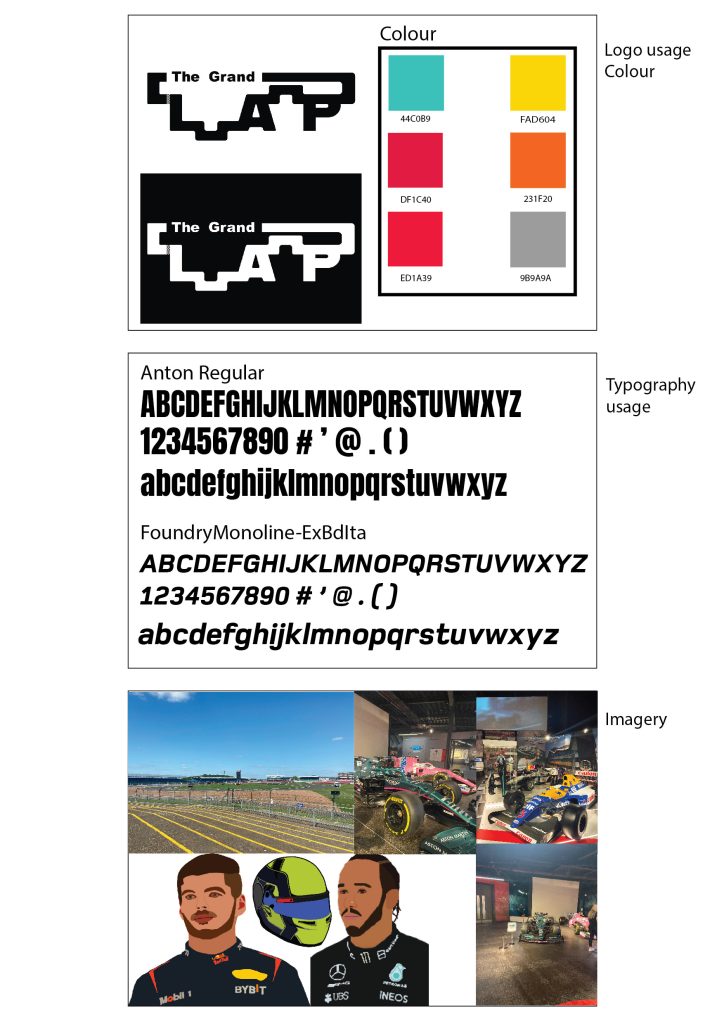
Typographical Graphic Standards are important to be presented to a client etc because they show how things can be used and how they can’t. I wanted my typographical graphics standards page to be minimalistic because that will be seen throughout my project. I created 3 main boxes and added crucial information only to keep the minimalistic look but to also not overwhelm the boxes. 6 colours were only needed because a lot of the time the contrast of black and white will be used. I decided to mostly pick vibrant colours because it helps the text stand out more to the reader and helps the reader interact with the magazine more. Below the colours I added the hex codes so people who view my work or who like the colours I use can see where they originate from. I have placed 2 ways my logo can be presented correctly, and any other way would not meet the graphical standard. The logo uses Arial black for the smaller text and the Alfarn font for the Lap. I felt that it was appropriate to present the typography I will use throughout my work so people can not only see what the font looks like with upper case and lower case but also can know the name of the font and research it if they wanted. I chose Anton regular because the kerning is very closed, and the characters are lean but tall giving the text a dramatic sporty look which I thought would be great for a Formula 1 magazine. The Foundry Monoline font was chosen specifically for the sub text and for paragraphs of information. The font’s italics are great for smaller texts because it gives the text motion which not only makes the reader think that they are reading much faster, but it also contributes nicely to Formula 1 as the sport is all about motion and fast paced movement. I also thought it would be important to include the Imagery that I will be using throughout my magazine. Most will be pictures that I have taken myself from when I visited the Silverstone Museum last year. The picture of the track will most likely be used for a cover design along with some pictures of the cars. I do want to incorporate some pictures into my editorial pages, and I may edit some using photoshop to create unique pieces. I did create portraits of drivers and a helmet, using Procreate on my iPad. These will be used on their appropriate pages to catch people’s attention and to give and insight on what the drivers look like.